Day 13 - Using Nano Banana Pro to generate spritesheets
I was mostly bed-ridden today, but I did manage to do some quick experiments using Nano Banana Pro (NBP) to generate spritesheets for pixel art animations, and I learned about spritesheets in the process.
An issue with the spritesheets that NBP generates is that they don't have a transparent background. More importantly the individual sprites will likely have inconsistent alignment and spacing around them and slightly different sizing, leading to alignment issues when you try to split the sheet into frames. So I implemented a postprocessing pipeline that:
- removes the background
- detects each sprite via contour detection
- crops a frame around each detected sprite
- pads the size of each frame to the largest one so that all frames have the same exact dimensions
- reassemble the frames into perfectly aligned grid
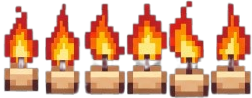
I think there are still some refinements to be made. For example, in the candle spritesheet that NBP generated, one or two of the sprites have bases that are just a pixel or two off, making the heights of those candles different from the rest. Or a candle sprite's stem is a pixel or two shorter from the rest. So when animated, the candle grows and shrinks unnaturally. See for yourself below. I also played with using sprites for animating UI interactions. For example, try interacting with the "Play" button. Each of the button's 3 states are different sprites.
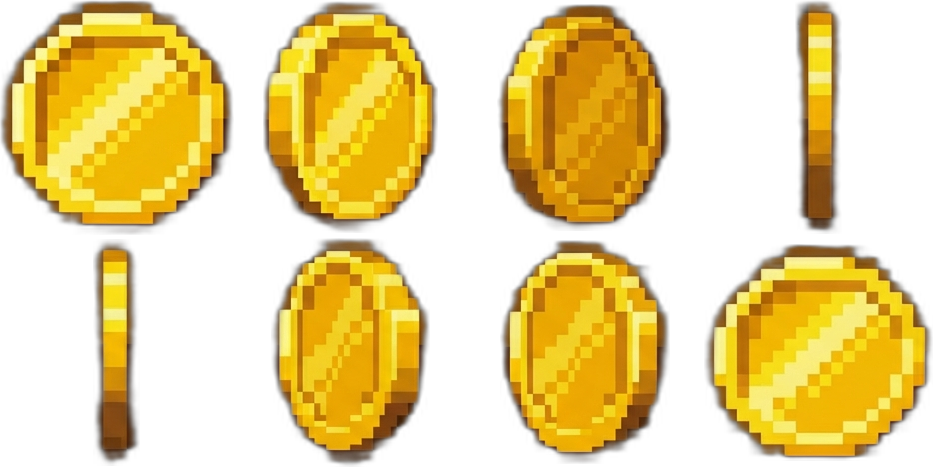
Here are the cleaned up spritesheets: